

Open a Pepperstone account
Learn how to open a real trading account with Pepperstone, including a detailed explanation of the registration process, from entering personal details to completing the suitability test and verifying your identity.
Pepperstone is one of the most reputable, globally licensed brokers for forex and CFD trading. If you’ve decided to open a real account, you’ll need to go through several key steps, including submitting your personal information, completing a suitability assessment, and verifying your identity. In this article, we’ll guide you step by step through the process and explain the questions you’ll be asked along the way.
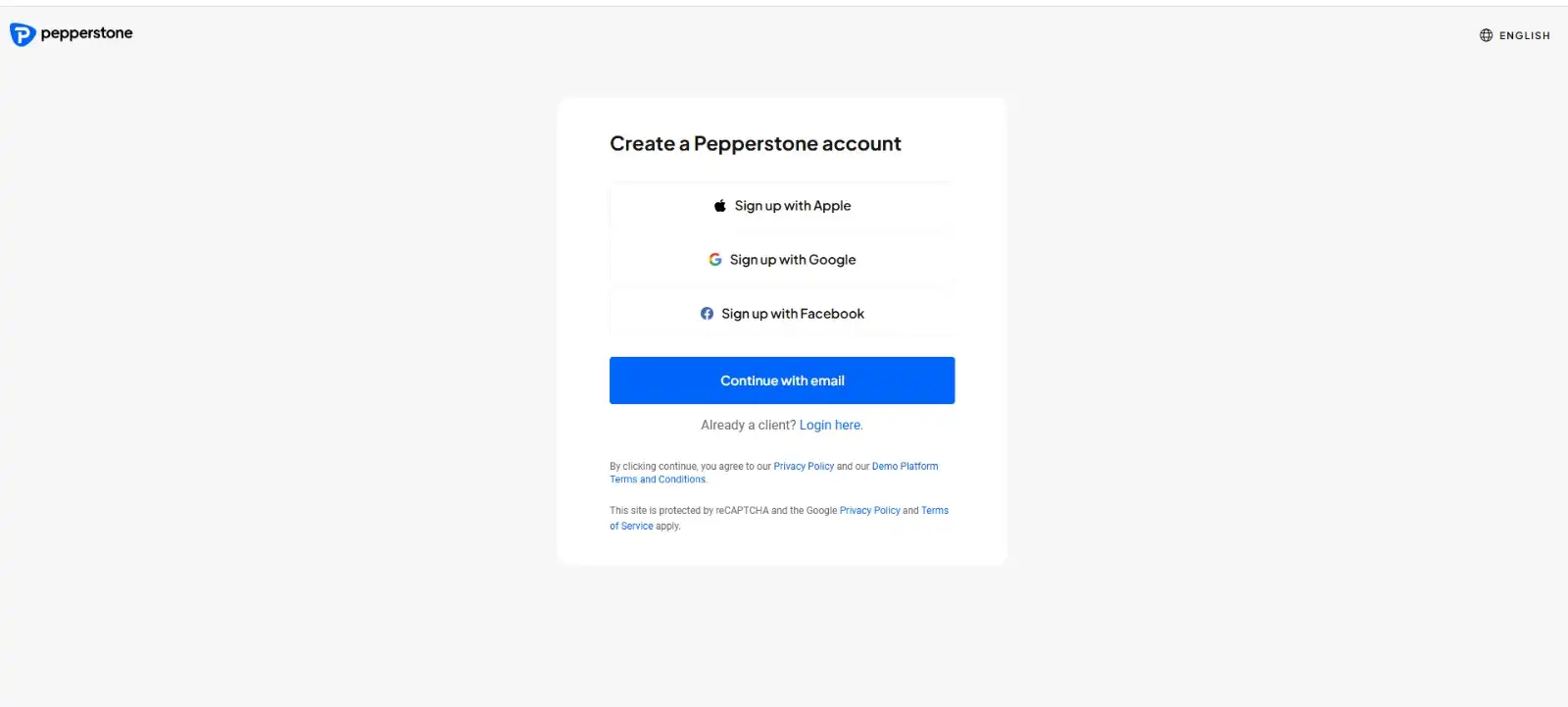
Step 1: Register on the Official Website
Click on “Join Now” to begin the registration process.

Choose your preferred registration method:
• Email
• Google account
• Facebook account
Create a strong and secure password.
Step 2: Enter Your Personal Information
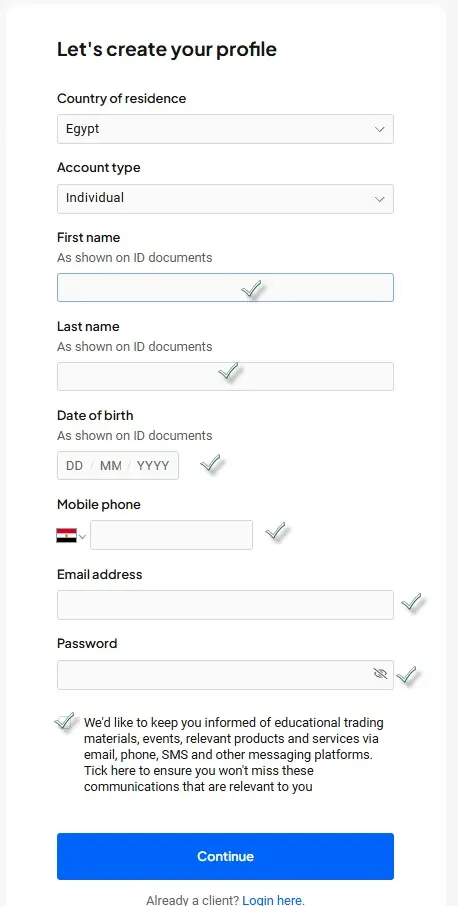
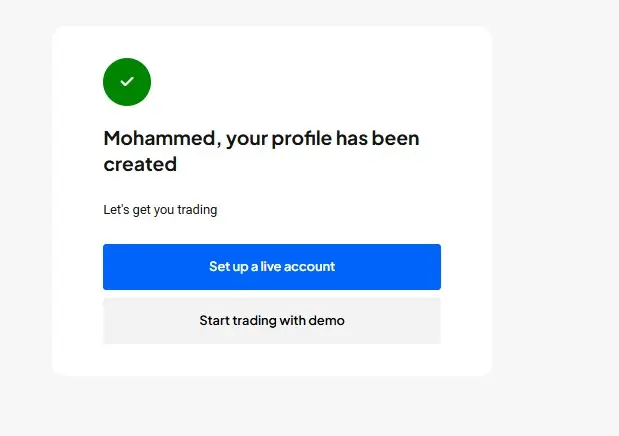
After account creation, you’ll be asked to provide your personal details, including:
• Full name (as it appears on your official ID)
• Date of birth
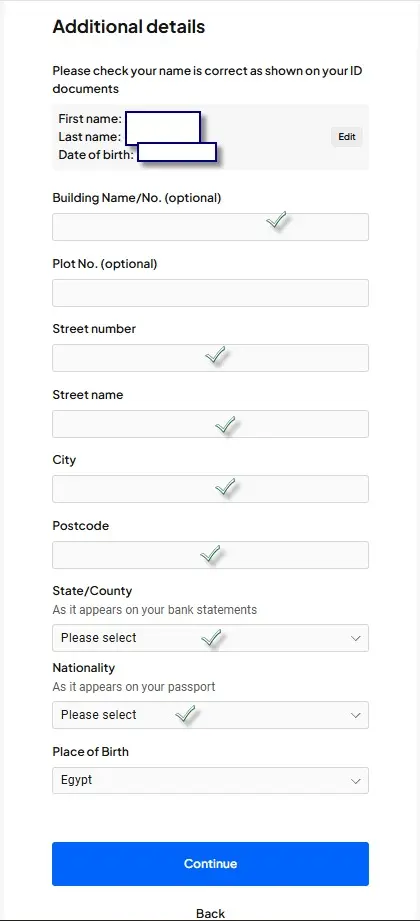
• Nationality
• Full residential address
• Phone number
Step 3: Employment and Income Details
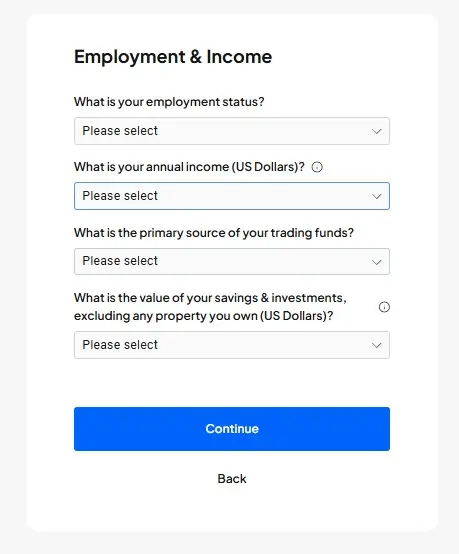
Next, you’ll need to provide your financial and employment information. The questions include:
• What is your current employment status? (Employed, Self-employed, Student, Unemployed, Retired)
• What is your annual income (in USD)?
• What is the primary source of your trading funds? (Salary, Savings, Investments, Other income)
• What is the total value of your savings and investments (excluding property)?
Step 4: Appropriateness Test
Pepperstone conducts a short test to assess your understanding of trading risks. You’ll be asked:
• Have you previously traded forex or CFDs?
• How many trades have you executed in the past 12 months?
• What was the typical trade size?
• How would you rate your experience with financial products?
• What is your understanding of the risks associated with leverage?
Step 5: Apply for Professional Account (Optional)
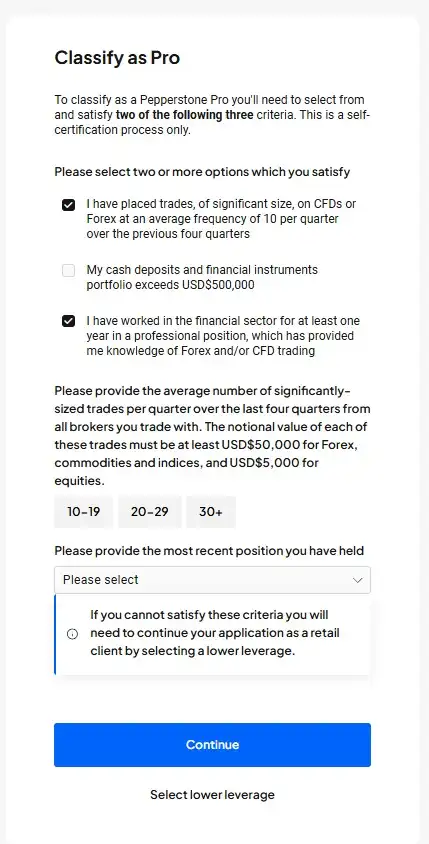
If you wish to open a Professional Account instead of a standard retail account, you’ll be asked additional qualification questions:
• Have you executed large-volume trades averaging at least 10 per quarter over the past year?
• Do your financial assets (cash and investments) exceed USD 500,000?
• Have you worked in the financial sector for at least one year in a professional role that involved trading forex or CFDs?
You may also be asked:
• What is the average number of large trades you place per quarter? (10–19, 20–29, 30+)
• What was your most recent job title?
Note: If you don’t meet these criteria, your account will be opened as a retail client with lower leverage options.
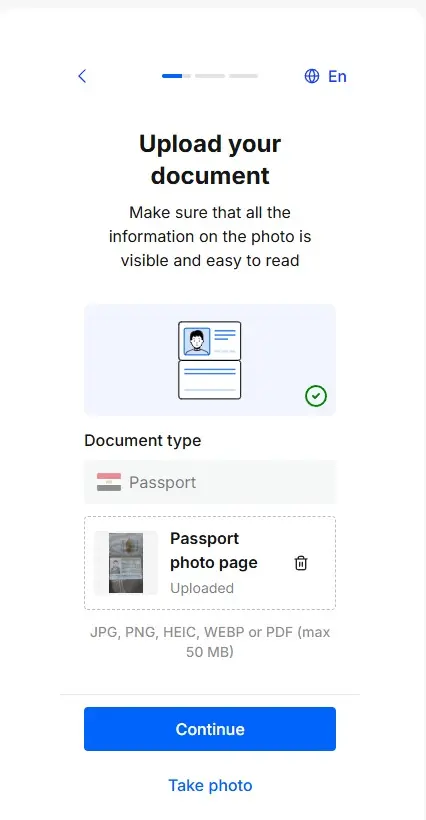
Step 6: Document Upload (KYC Verification)
To verify your account, you’ll need to upload the following documents:
• Proof of Identity: National ID, passport, or driver’s license
• Proof of Residence: A recent utility bill (electricity, water, gas, phone) or a bank statement
Step 7: Account Activation and Funding
Once your documents are approved, usually within 24 hours, you can fund your account using:
• Visa/MasterCard
• Bank transfer
• E-wallets such as Skrill
Recommended minimum deposit: USD 200
Learn more about Pepperstone’s deposit and withdrawal methods [here].
Step 8: Download the Trading Platform
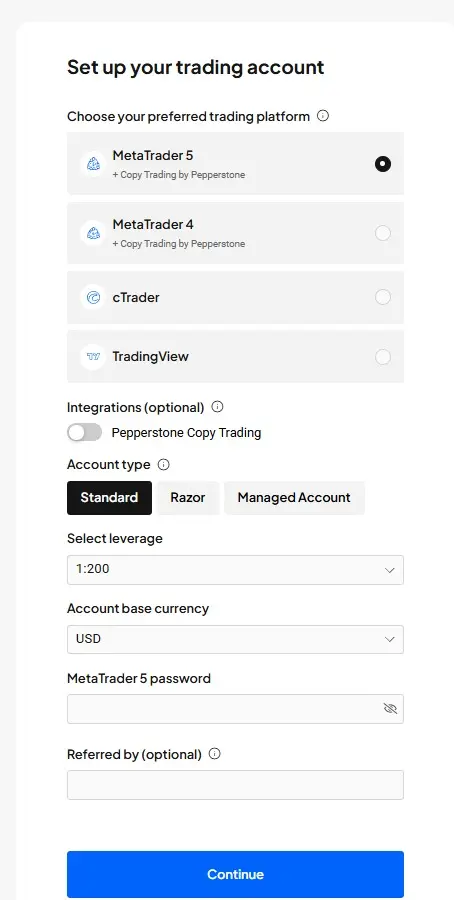
Choose from the following platforms based on your trading preferences:
• MetaTrader 4 (MT4)
• MetaTrader 5 (MT5)
• cTrader
• Pepperstone’s proprietary mobile app
Discover more about the available platforms [here].
Frequently Asked Questions (FAQ)
1. How long does it take to open an account?
Usually, within one business day after submitting the required documents.
2. Can I open a demo account?
Yes, Pepperstone offers a free demo account so you can practice trading before using real funds.
3. What is the minimum deposit?
There is no official minimum, but it is recommended to start with at least USD 200.
Start your trading journey today. Open your real Pepperstone account [here].


