

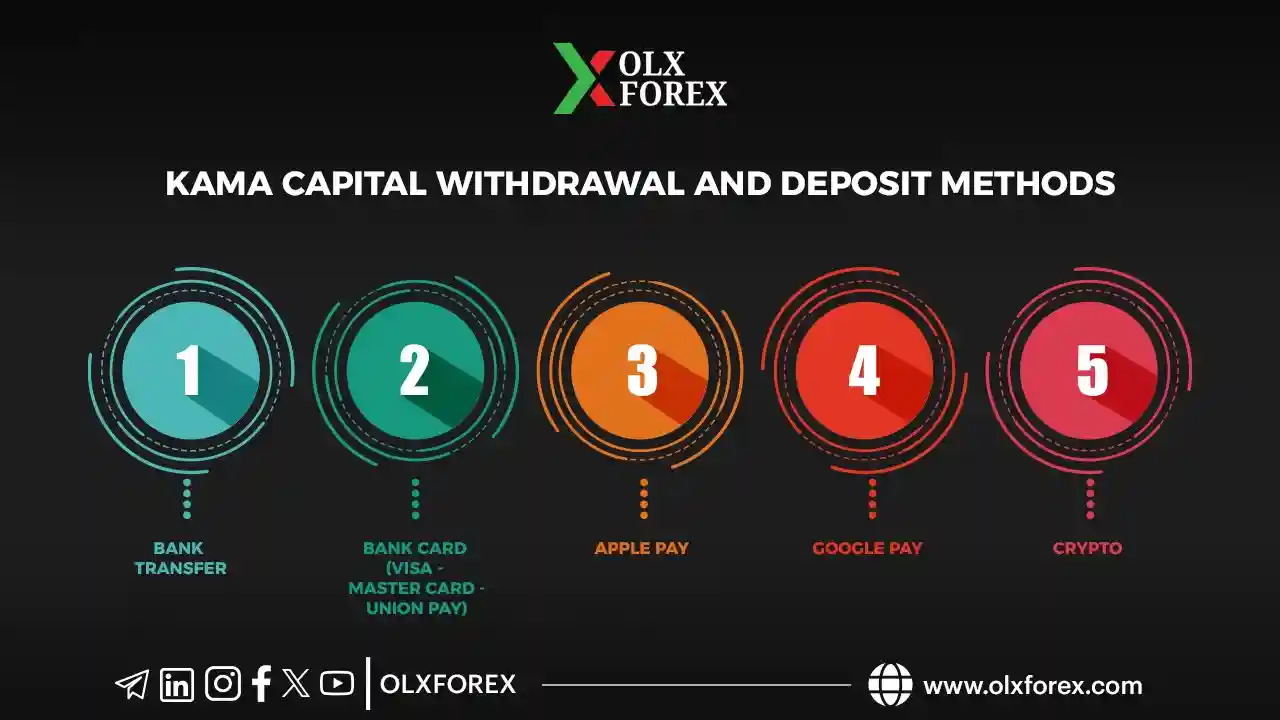
Deposit and Withdrawal Methods at Kama Capital:
1. Bank Transfer
2. Bank Card (VISA - MASTER CARD - UNION PAY)
3. Apple Pay
4. Google Pay
5. Crypto
Kama Capital is committed to providing the best and fastest deposit and withdrawal methods for its clients worldwide. With multiple options available, some traders may feel uncertain about choosing the most suitable method.
In this comprehensive guide, we will explore the main deposit and withdrawal options at Kama Capital, outlining the steps, processing times, and any potential fees for each method. Keep reading to discover the best option for your needs, helping you trade with confidence and security.
Why the Right Payment Method Matters
1. Speed: Faster deposits and withdrawals allow you to start trading or access your profits more flexibly.
2. Costs: Some methods have higher fees than others, so choosing an option that fits your budget is important.
3. Security: Opt for a method that offers the highest level of protection and reliability for your financial transactions.
4. Availability: Some payment methods are region-specific, so check if they are available in your country.
Main Deposit and Withdrawal Methods Offered by Kama Capital
1) Bank Transfer
Overview
Bank transfers are one of the oldest and most reliable methods for transferring funds globally. This option is ideal for traders who prefer direct bank account transactions, especially for large deposits or withdrawals.
Deposit Steps
1. Open an account with Kama Capital [here]
2. Log in to your Kama Capital account.
3. Select “Deposit” and choose “Bank Transfer” as your method.
4. Fill in the required details, such as Kama Capital’s bank account number, bank name, and deposit amount.
5. Complete the transfer through your bank’s online service or by visiting a branch.
6. Confirm the transfer by sending the payment receipt (if required) to Kama Capital’s support team.
Withdrawal Steps
1. Log in to your account and select “Withdraw.”
2. Choose “Bank Transfer” as your withdrawal method.
3. Enter your bank details (IBAN/account number, bank name, and SWIFT code).
4. Confirm the transaction and wait for the funds to be credited to your bank account.
Processing Time
• Deposit: Typically takes 1 to 3 business days to reflect in your trading account.
• Withdrawal: May take 2 to 5 business days to appear in your bank account, depending on bank policies.
Fees
• Bank Fees: Banks may charge fees for local or international transfers.
• Kama Capital Fees: Kama Capital does not charge any deposit or withdrawal fees.
2) Bank Card (VISA – MASTER CARD – UNION PAY)
Overview
Bank cards (Visa, MasterCard, UnionPay) are among the most widely used payment methods due to their ease and speed.
Deposit Steps
1. Log in to your Kama Capital account.
2. Select “Deposit” and choose “Bank Card” as your payment method.
3. Enter your card details (cardholder name, card number, expiry date, and CVV).
4. Confirm the deposit amount.
5. Complete the transaction and wait for payment confirmation.
Withdrawal Steps
1. Select “Withdraw” in your account dashboard.
2. Choose the registered bank card.
3. Enter the withdrawal amount.
4. Confirm the request and wait for the funds to be credited to your card.
Processing Time
• Deposit: Instant or within minutes.
• Withdrawal: Typically takes 1 to 3 business days, depending on your bank’s policies.
Fees
• Service Provider Fees: The card provider or issuing bank may charge fees.
• Kama Capital Fees: Kama Capital does not charge deposit or withdrawal fees.
3) Apple Pay
Overview
Apple Pay is a secure digital payment service available on Apple devices (iPhone, iPad, Mac). It offers ease of use and high security through Face ID or Touch ID.
Deposit Steps
1. Activate Apple Pay on your device and link a bank card.
2. Log in to your Kama Capital account and select “Deposit via Apple Pay.”
3. Enter the deposit amount.
4. Confirm the transaction using Face ID or Touch ID.
Withdrawal Steps
Withdrawals are usually sent to the bank card or account linked to Apple Pay.
1. Select “Withdraw” in your Kama Capital account.
2. Choose the linked Apple Pay card/account.
3. Enter the withdrawal amount.
4. Confirm the transaction and wait for processing.
Processing Time
• Deposit: Instant (within seconds or minutes).
• Withdrawal: 1-3 business days, depending on your bank.
Fees
• Apple Pay does not charge direct fees, but bank/card provider fees may apply.
4) Google Pay
Overview
Google Pay is a digital payment service allowing users to make fast, secure payments through Android devices or a web browser by linking their bank cards.
Deposit Steps
1. Activate Google Pay and add your bank card.
2. Log in to your Kama Capital account and select “Deposit via Google Pay.”
3. Enter the deposit amount.
4. Confirm the transaction through Google Pay.
Withdrawal Steps
Withdrawals are usually sent to the card linked to Google Pay.
1. Select “Withdraw” in your Kama Capital account.
2. Choose the linked Google Pay card.
3. Enter the withdrawal amount and confirm.
Processing Time
• Deposit: Instant or within minutes.
• Withdrawal: 1-3 business days, depending on your bank.
Fees
• Google Pay does not charge direct fees, but bank/card provider fees may apply.
5) Cryptocurrency (Crypto)
Overview
Cryptocurrencies (e.g., Bitcoin, Ethereum) offer fast, flexible transactions and 24/7 trading. They are an excellent option for traders looking for privacy and relatively low transfer fees.
Deposit Steps
1. Obtain Kama Capital’s wallet address for the cryptocurrency you wish to deposit.
2. Send the amount from your personal crypto wallet to the provided address.
3. Wait for network confirmation (may take minutes to an hour or more, depending on network congestion).
Withdrawal Steps
1. Select “Withdraw” in your Kama Capital account.
2. Choose the cryptocurrency for withdrawal.
3. Enter your wallet address and the amount to withdraw.
4. Confirm the transaction and wait for network confirmation.
Processing Time
• Deposit: Usually takes minutes to an hour or more.
• Withdrawal: Depends on network speed but typically within the same timeframe.
Fees
• Network Fees: Vary based on the cryptocurrency and network congestion.
• Kama Capital Fees: Kama Capital does not charge additional fees for crypto transactions.
Tips for Choosing the Right Deposit and Withdrawal Method
1. Compare Fees: Check for any additional charges imposed by banks or service providers.
2. Speed vs. Security: If you need fast transactions, bank cards and digital wallets are ideal, while bank transfers offer higher security.
3. Regional Availability: Ensure the chosen method is accessible in your country.
4. Customer Support: Choose a method with reliable support in case of any issues.
If you want to open an account with Kama Capital, you can open it from here


