

How to create a demo account at Pepperstone
A demo account with Pepperstone is an ideal way to experience the trading environment without risking real money. This account allows you to practice trade execution, explore the trading platforms, and gain a better understanding of market movements. In this guide, we’ll walk you through the steps to open a demo account with Pepperstone.
Step 1: Visit the Official Pepperstone Website
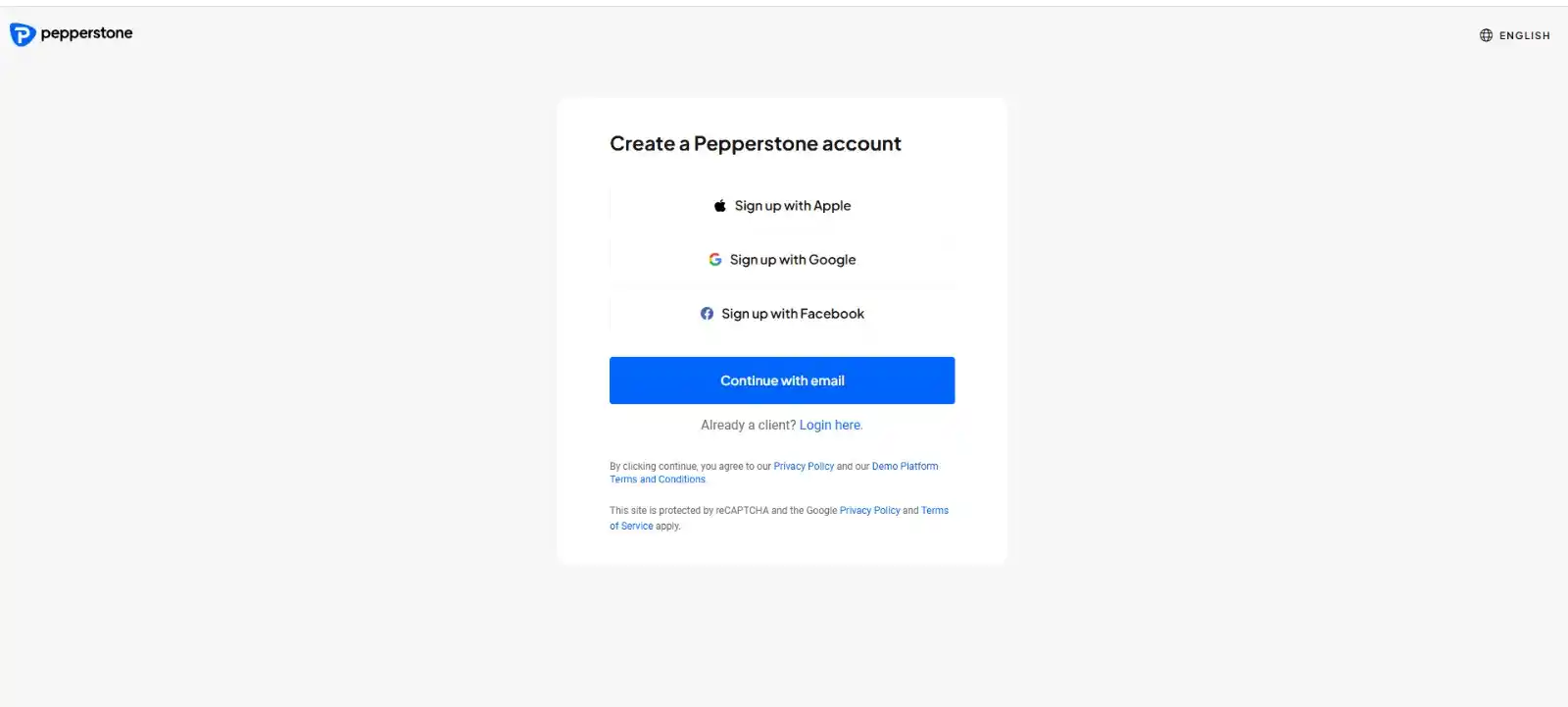
Navigate to the official Pepperstone website and click on the “Join now” button available on the homepage.

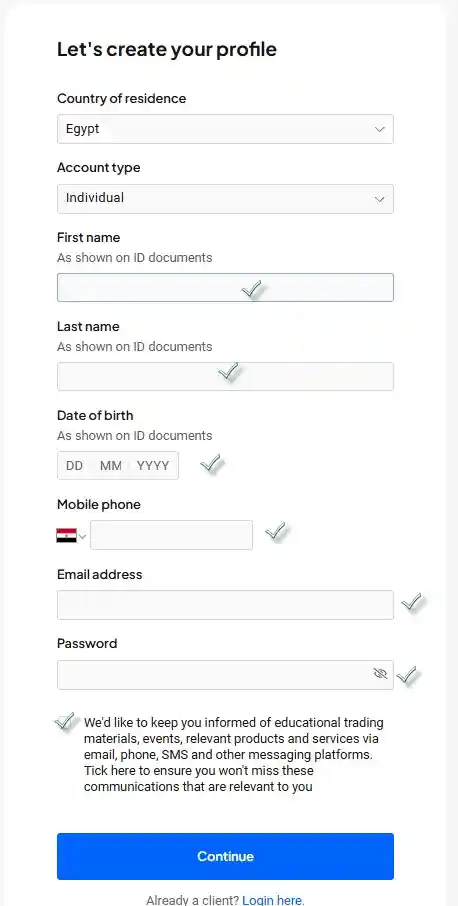
Step 2: Fill Out the Registration Form
After clicking on “Try Demo,” you’ll be directed to a registration page where you’ll need to enter the following details:
• Full Name
• Email Address
• Country of Residence
• Phone Number
• A strong password
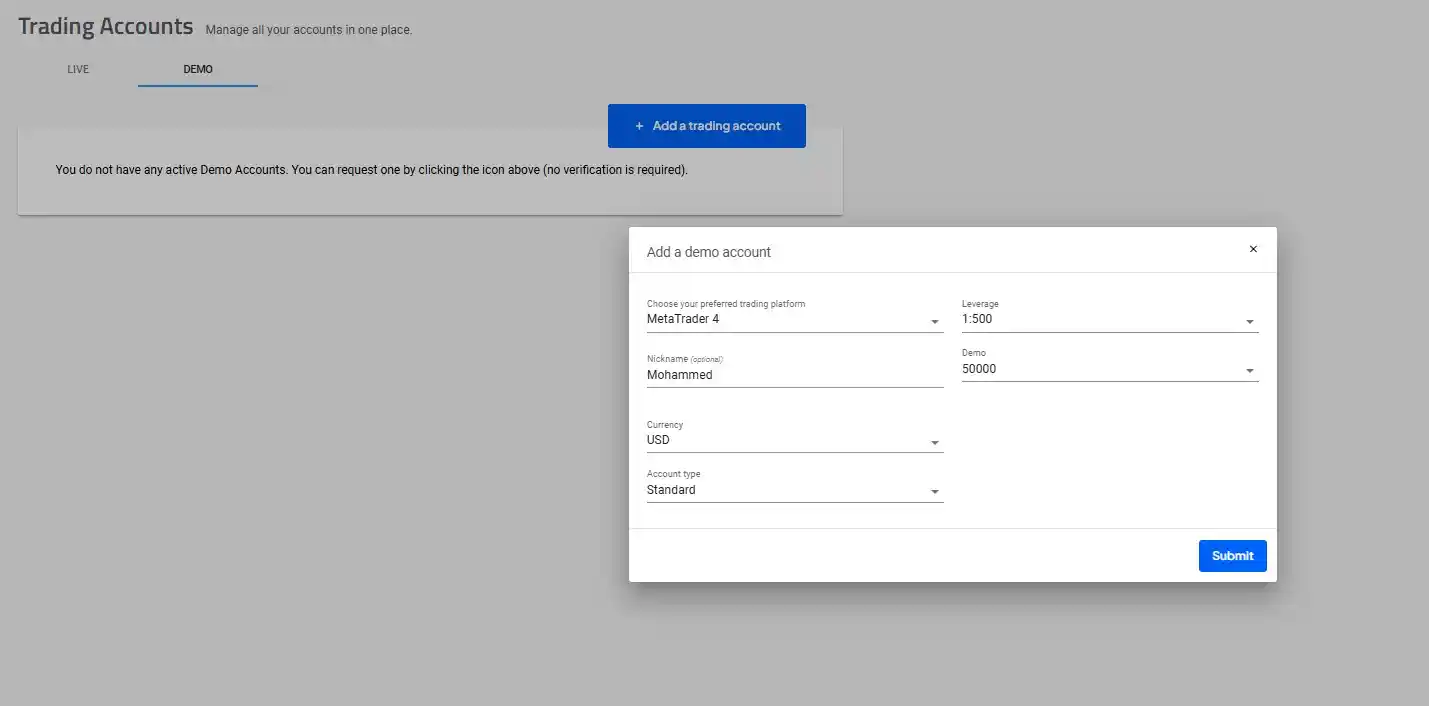
Step 3: Configure Your Demo Account Settings
You’ll be prompted to set up your demo account with the following preferences:
• Trading Platform: MetaTrader 4 (MT4), MetaTrader 5 (MT5), or cTrader
• Account Type: Standard or Razor
• Base Currency: USD, EUR, GBP, etc.
• Virtual Balance: Typically ranges between $5,000 and $50,000
• Leverage: Up to 1:500
Step 4: Account Activation and Login Details
Once you complete the form, you will receive an email containing:
• Your demo account login credentials
• A download link for the platform you selected
Step 5: Download the Trading Platform
Choose and download the trading platform that best suits your needs:
• MetaTrader 4 (MT4)
• MetaTrader 5 (MT5)
• cTrader
• Or use the Pepperstone mobile app for trading on the go
Step 6: Log In to Your Demo Account
Open the trading platform you installed.
Select “Log in with Demo Account” and enter the credentials you received via email.
Key Benefits of Pepperstone’s Demo Account
• Real-market conditions simulation for a more authentic trading experience
• Access to all major trading platforms
• Risk-free strategy testing with no financial exposure
Frequently Asked Questions (FAQ)
1. Is the demo account free?
Yes, the demo account is completely free of charge.
2. Can I extend my demo account period?
If your demo account expires, you can always request a new one.
3. Are there differences between the demo and live accounts?
The demo account mirrors real market conditions, but it lacks the psychological aspect of risking real money.
Therefore, if you’re just starting out and want to explore the market, opening a demo account is the perfect choice.
Likewise, if you have a trading strategy you’d like to test without putting your capital at risk, you can do so safely with a demo account.
Whether you’re new to trading or want to evaluate your strategy’s strengths and weaknesses, opening a Pepperstone demo account gives you the same market experience as a live account, only without real profits or losses.
Start practicing today by opening your free demo account [here].
Interested in discovering top trading strategies? Explore them [here].


